
Once you determine which forms you will use, complete the following steps on each workstation from which you will generate billing statements. You do not need to do this again unless you use a different billing statement form.
To set up the default statement form
1. In the Office Manager, click Maintenance, point to Practice Setup, and then click Practice Defaults.
The Practice Defaults dialog box appears.
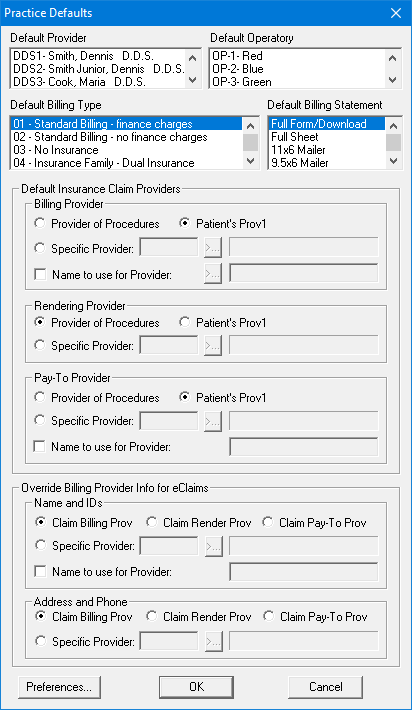
2. Set up the default billing statement options, and then select one of the following from the Default Billing Statement list:
To use a printer-generated billing statement form, select Full Form/Download. If you select this form, Dentrix prints the lines of the form at the same time it prints each billing statement.
To use pre-printed forms, select the appropriate form.
3. Click OK.